
Automated Payment Allocation Overview and Getting Started
Overview
Automated Payment Allocation (APA) automatically distributes a tenant payment across the appropriate charges, applies the assigned income category, and calculates management fees based on your settings. If a tenant pays more than is currently due, you can record the remaining amount as a credit and apply it to future charges.
A new update is now available in Rentec Direct that lets you prepare your Products for APA before the full feature is released. Setting up your Products now means your account will be ready when Automated Payment Allocation becomes available.
With this update, you can:
- Assign an Income Category to your Products.
- Choose whether a Product should include a Management Fee when payments are automatically applied.
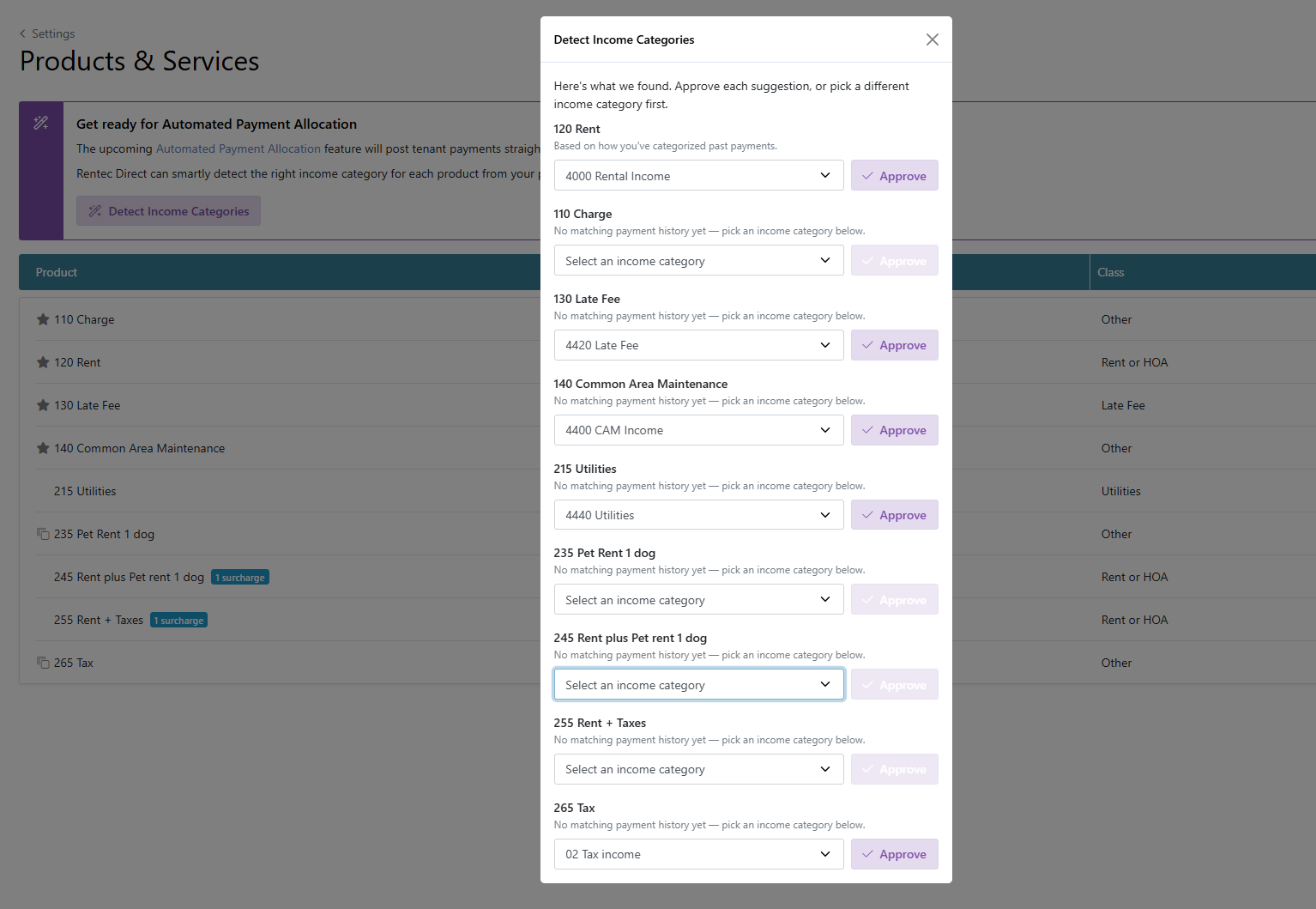
- Update Income Categories for multiple Products using the Detect Income Categories Wizard. The software will automatically recommend income categories based on historical transactions.
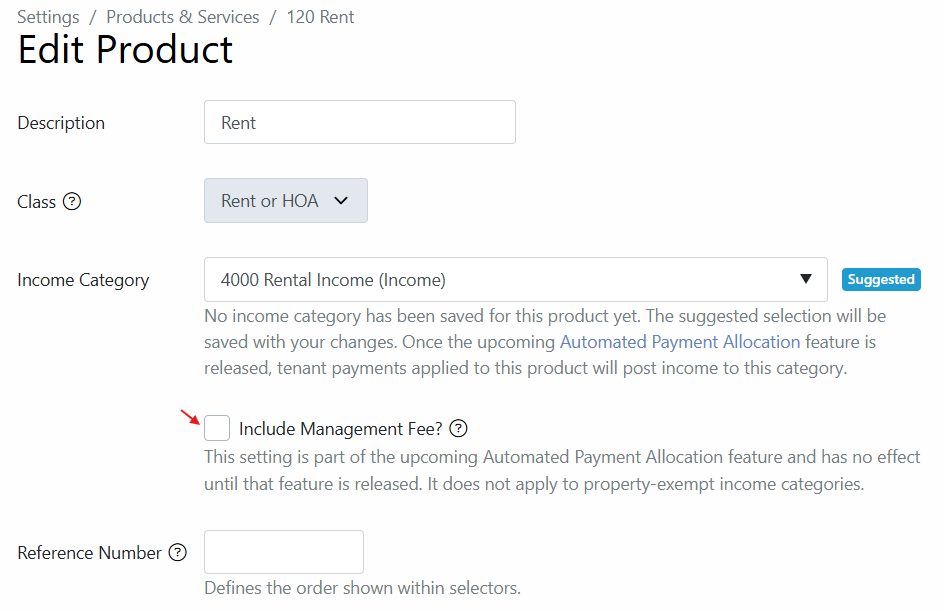
Example: Product 120 (Rent Charge default); the Income Category will default to 4000 Rental Income
Getting Started
The following steps walk through assigning income categories to products & services.
In your Rentec Direct account:
- Click Settings
- Under Financial, click Products & Services
From here, you can edit individual Products or use the Detect Income Categories Wizard to update multiple Products.
- Click Detect Income Categories to update multiple products & services quickly
The Wizard reviews your transaction history and suggests Income Categories based on previous charges and payments. You can review each suggestion, approve it, or select a different category before saving your changes.
-
Click on the Edit (paper/pencil) to update individual transactions and indicate if the Management Fee will apply to transactions (This setting will not affect transactions until after the APA feature is released)
Important Note: See more below about how this setting affects Management Fees
- Click Save Changes
Choose Whether to Include Management Fees
A new Include Management Fee? option is available when adding or editing a Product.
This setting determines whether the Product is eligible for a management fee when a payment is automatically applied.
Your existing property management fee settings still control the fee details, including the category, percentage, minimum, and maximum amounts.
Note: The Include Management Fee? setting on the Product does not replace the management fee settings on the property. Property settings determine the fee details, while the Product setting determines whether the fee applies to that Product.