
Tips for Getting Started - New Client Welcome Kit
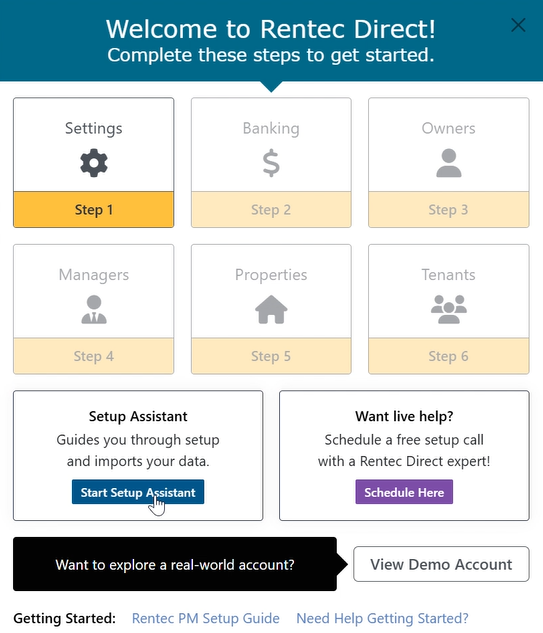
When you first log in to your new Rentec Direct account, follow the Welcome setup screen. By taking these steps in the order provided, you can ensure your account is set up correctly so you can start using its features right away.
This article provides tools to help ensure your success.
- Rentec Pro New Client Welcome Kit
- Rentec PM New Client Welcome Kit
- New Client Orientation Video
- How to Keep Informed With Up-to-Date Information (Enhancements to software, Industry News & Related Tips)
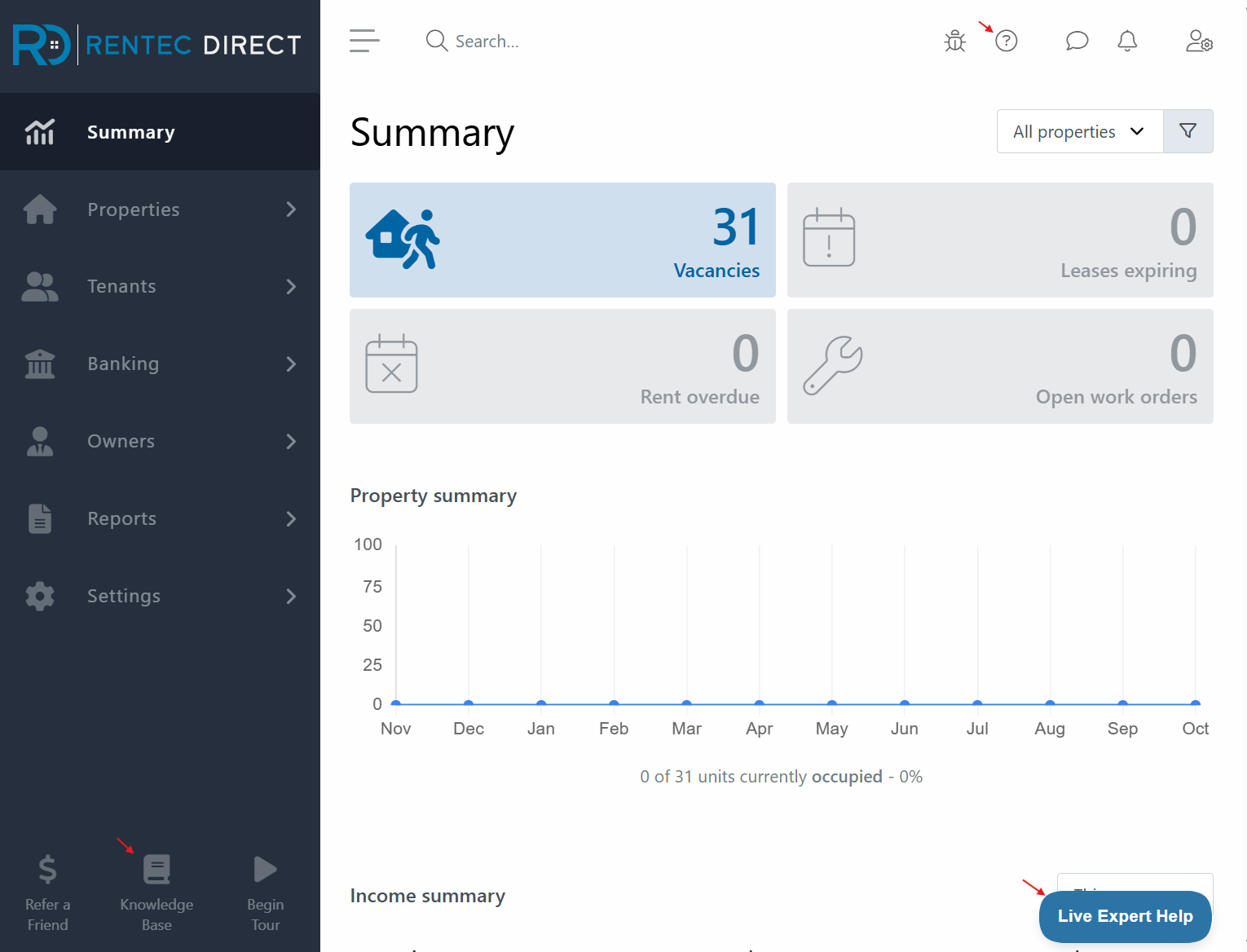
- Getting Help with your Rentec Direct software 24/7
Pro Tip: Schedule time with your Account Setup Assistant for time-saving tips
New Client Welcome Kit
Helpful tips and resources to quickly and accurately set up your new Rentec Direct account are just a click away. The New Client Welcome Kit below helps you get started quickly with your new property management software account.
Note: Make sure to select the correct New Client Welcome Kit for your Rentec PM or Rentec PRO account, as the instructions will differ slightly.
Rentec PM - Software for Property Managers

Rentec PRO - Software for Landlords and Investors

New Client Orientation Video
Want to follow along with a quick training video as you get yourself oriented with your new account? Take a tour of your new account and learn about important tools and features you'll use most often by watching this video.
Need Help?
Whether you're setting up your new account or looking for an answer to a question, Rentec Direct offers personal assistance and self-service resources.
Reach Account Setup Assistance
Every new Rentec Direct client has access to a dedicated Account Setup Advisor to help get started. Your assistant can walk you through software features, answer setup questions, and introduce you to integrated features.
You can email, call, or schedule an appointment with your Account Setup Advisor Monday through Friday, from 6 a.m. to 5 p.m. (PST)
Not sure who your Account Setup Advisor is? Contact the team to get connected.
- Email: info@rentecdirect.com
- Phone: 800-881-5139 x1
Find Answers in the Rentec Direct Knowledge Base
The Rentec Direct Knwoledge Base is available 24/7, with help articles, tutorials, and videos to guide you through account setup and software features.
Visit the Knowledge Base and bookmark it for quick access, or open it from the help link in your Rentec Direct account.
Contact the Client Success Team
Have a question or need additional help?
Connect with your US-based Award-Winning Success Team weekdays from 6 am to 5 pm (PST). Just click on the Live Expert Help link to email or chat with live support, email success@rentecdirect.com, or call 800-881-5139 ext. 2.
Keep Informed With Up-To-Date Information
Subscribe to the Rentec Direct BLOG for breaking industry news, landlord and management tips, as well as new and enhanced features in your Rentec Direct software. Be sure to add our email to your contact list to avoid missing out on emails from Rentec Direct that may be marked as promotional by some filters.
We Value Your Feedback
Rentec Direct maintains the goal of making landlord and property manager tasks simpler, quicker, and more efficient. Many of our improvements result from feedback from valued clients like you. If you are one of our new clients who receives a brief survey, we encourage you to provide your input. If you have an idea or suggestion for an enhancement, integration, or new feature that would enhance your Rentec Direct experience, send an email request to success@rentecdirect.com.