
Edit Owners
When information changes or needs to be completed, you can easily edit the owner's information.
Pro Tip: As you enter information, hover over the "?" for more details.
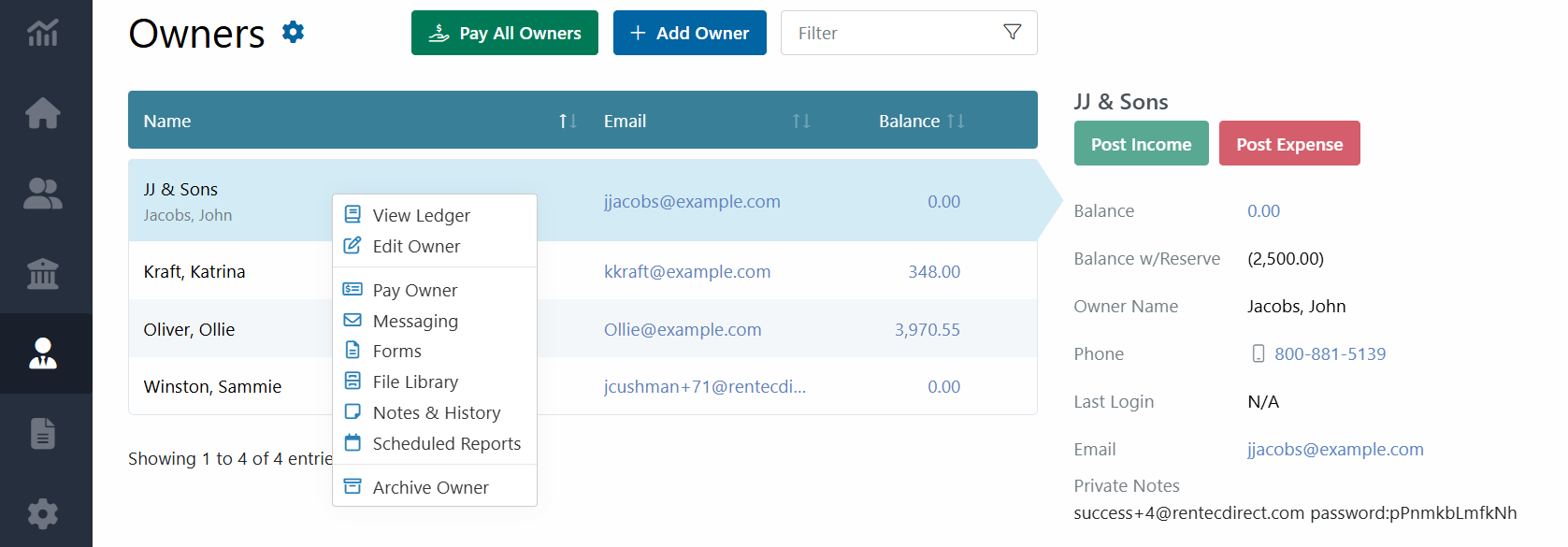
In your Rentec Direct account:
- Click Owners
- Right-Click on an Owner and select Edit Owner
- Update information as needed - If ACH information is being entered, a Mailing Address is also required.
- Click on Save Changes
System Tips: Information entered in the owner's profile is commonly used with other functions throughout the software, for example:
- Mobile phone number is used to Send SMS Text Messages to the owner through the software
- The Email address is used for several built-in communication and features, including:
- Owner Portal access
- Automated Email Notification of Payment via ach (Owner Disbursement)
- Scheduled Automated Email Reports
- Sending Email Messages to Owners through the Rentec Direct software
- Bank Account and Routing Number are used for Owner Disbursements paid via ACH